News

Latest news and current events from around the world including special reports, entertainment news and exclusive video

Business

All the latest breaking business news from banking, stocks, currencies, funds and commodities to rice, garments and tourism

Download

Free downloads for Windows, Mac, iOS and Android computers and mobile devices. Every category of desktop software...

Life Style

Lifestyle is about the parts of our lives that are maybe a little more personal than everything else. It's how we make our homes, relate to our loved ones, raise our ...

Culture

The latest cultural news, criticism, including television, theatre, movies, music reviews, and Goings On About Town.

Health

Get energizing workout moves, healthy recipes, and advice on losing weight and feeling great...

Showing posts with label iPhone. Show all posts

Thursday, December 11, 2014

How To Jailbreak iOS 8.1.1 Untethered With Taig [Tutorial]

TaiG iOS 8.1.1 jailbreak is out already. Here in this tutorial we will help you jailbreak iOS 8.1.1 untethered on your iPhone, iPad or iPod touch.
As mentioned in our initial coverage, this jailbreak tool is compatible with all devices and iOS 8.0-8.1.1 firmwares, including the latest iOS 8.2 beta.
Ready? Let’s start.
iOS 811 jailbreak
Pre-requisites:
  • Turn off any lock screen passcode or Touch ID. You can do this by navigating to: Settings > General > Touch ID & Passcode > turn off Simple Passcode.
  • Turn off Find My iPhone by navigating to: Settings > iCloud > Find my iPhone.
  • Restore to iOS 8.1.1 via iTunes. OTA updates usually don’t work well with jailbreaks. You can download iOS 8.1.1 from here.
  • Backup your device using iCloud or iTunes.
  • Supported devices:
    • iPhone 6 Plus
    • iPhone 6
    • iPhone 5s
    • iPhone 5c
    • iPhone 5
    • iPhone 4s
    • iPad (2, 3, 4, Air, Air 2, mini 1, mini 2, mini 3)
    • iPod touch 5
  • Supported firmwares:
    • 8.0
    • 8.0.1
    • 8.0.2
    • 8.1
    • 8.1.1
    • 8.2 beta
How to jailbreak iOS 8.1.1 on Windows:
Step 1: Download TaiG jailbreak for Windows from here.
Step 2: Connect your iOS device via USB, and run TaiG.
Step 3: Uncheck the second option below Cydia to prevent installing TaiG app store.
Screenshot (229)
Step 4: Now click on the big green button in the center to start Jailbreak.
Step 5: TaiG will now jailbreak your iOS device. Do not disconnect your iPhone, iPad or iPod touch during the jailbreak process. Once the jailbreak process is complete, your iOS device will reboot and you will have Cydia installed on the home screen. It’s that simple!
Taig jailbreak iPhone 6
Mac user? No problem. Follow our workaround tutorial for OS X here: How To Jailbreak iOS 8.1.1 On Mac OS X Using Taig For Windows

Jailbreak iOS 8.1.1 And iOS 8.1.2 With Taig On iPhone 6, 6 Plus, 5s, iPad, More [Updated]

pdate: Taig jailbreak team has released iOS 8.1.1 and iOS 8.1.2 jailbreak tool that can jailbreak iPhone 6, iPhone 6 Plus, iPhone 5s, 5, 5c, 4s, all iPads and iPod touch 5 both on iOS 8.1.1 and iOS 8.1.2. You can read more about release here.

For iOS 8.1.1 jailbreak step by step tutorials:
For iOS 8.1.2 jailbreak, follow:
Apple’s iOS 8.0 – 8.1 software has been well and truly pwned courtesy of the Pangu team, but whilst their tool has helped thousands of iPhone, iPad and iPod touch users to access Cydia and its abundance of tweaks, all good things must come to an end. With the emergence of iOS 8.1.1 download, Apple put end to this party.
iOS_812_jailbreak
In the last couple of years, we’ve seen Apple wait months before plugging the exploits that have made some of the most famous jailbreaks possible. But despite the distraction of refining iOS 8 and indeed, OS X Yosemite, the Cupertino’s software development team found enough time to track the jailbreak community and with it, end Pangu8′s short-lived reign.

Soon after iOS 8.1.1 was released last month, well known hacker of Sn0wbreeze fame iH8sn0w in collaboration with his friend found a way to jailbreak 8.1.1. He demonstrated this in a video posted on YouTube. But his jailbreak was limited to 30-pin devices only, meaning, all the latest devices featuring Lightning cable were out of luck.
This uses some new research. . . (not bootrom related[aw ik], but not HFS either). Still only limited to working with 30pin devices due to no serial over lightning.
This does not mean a public release of something jailbreaking-related is coming from me anytime soon. So don’t update.
Late last month, out of nowhere, a team which goes by the name of TaiG released iOS 8.1.1 jailbreak, supporting all devices and firmware versions not supported by Pangu. For those of you who have been following our jailbreak related articles would remember TaiG from Evasi0n7 jailbreak which they released in partnership with team Evad3rs on Christmas eve last year.

In December, Apple dropped iOS 8.1.2 download, which thankfully didn’t patch the exploits used by TaiG in 8.1.1 jailbreak. TaiG team quickly updated the tool to support iOS 8.1.2 for jailbreak.
TaiG ios 8.1.2
TaiG is now the latest unpatched jailbreak and supports:
  • iPhone 6 Plus
  • iPhone 6
  • iPhone 5s, 5c, 5, 4s
  • iPad Air 2, iPad Air 1, iPad mini 3, iPad mini 2, iPad mini 1, iPad 4, 3
  • iPod touch 5
firmwares:
  • iOS 8.1.1
  • iOS 8.1.2
  • iOS 8.2 beta
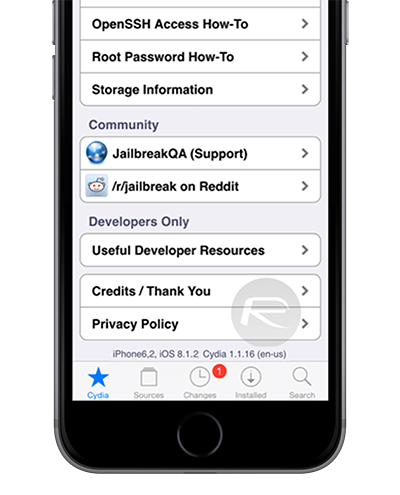
TaiG Cydia iOS 8.1.2
Since both MuscleNerd and Saurik have given TaiG jailbreak a green light, it is safe to use on your iOS devices.

TaiG is currently available on Windows only with a Mac OS X version of the tool said to be coming soon. If you are looking for tutorials on how to jailbreak iOS 8.1.1 – 8.1.2, please check the links at the top of this article.

We will keep updating this post with any further progress on TaiG jailbreak for iOS 8.1.1 – 8.2. Stay tuned for more.

Update x1: iOS 8.1 is still being signed by Apple. You can follow our: How To Downgrade iOS 8.1.1 To iOS 8.1 guide to downgrade if you want the jailbreak.
Update x2: Apple has stopped signing iOS 8.1 firmware.
Update x3: TaiG v1.1.0 is out. Read more on it here.
Update x4: TaiG v1.2.0 is released with support for iOS 8.1.2.